As the 2024 financial year comes to a close, businesses using Sybiz Vision and Sybiz Visipay must be prepared for the end-of-financial-year (EOFY) processes. This comprehensive guide summarises the key topics covered in the recent Sybiz 2024 EOFY webinar, offering valuable insights and best practices to ensure a smooth transition into the new financial year.
Key Topics Covered in the Webinar:
- Sybiz Vision EOFY Process
- Best Practices for Reconciliation
- New Features in Sybiz Vision 24.10
- STP2 Considerations for Sybiz Visipay
- General Ledger Consolidation
- Fixed Assets Management
- Payroll Updates and Legislative Changes
Sybiz Vision EOFY Process
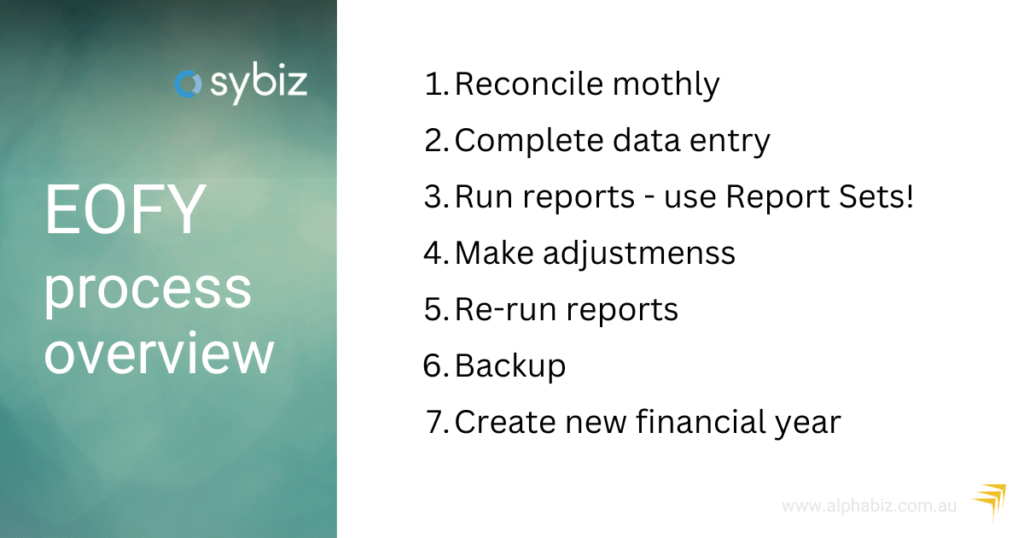
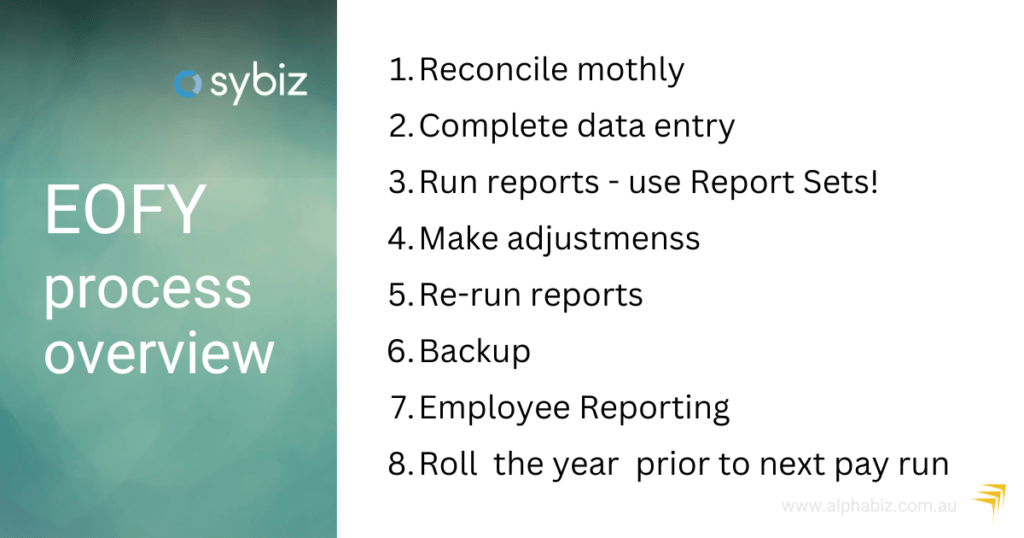
The EOFY process in Sybiz Vision is straightforward, especially if monthly or quarterly reconciliations have been maintained. Here are the key steps:
Complete Data Entry
Continue entering transactions dated in the previous financial year even after 30th June. For example, if you receive an invoice dated in the previous financial year on 7th July, you can still enter it with the correct transaction date.
Reconciliation
Perform reconciliations as usual, making necessary adjustments and rerunning reports. Ensure you retain a backup at this point.
Create a New Financial Year
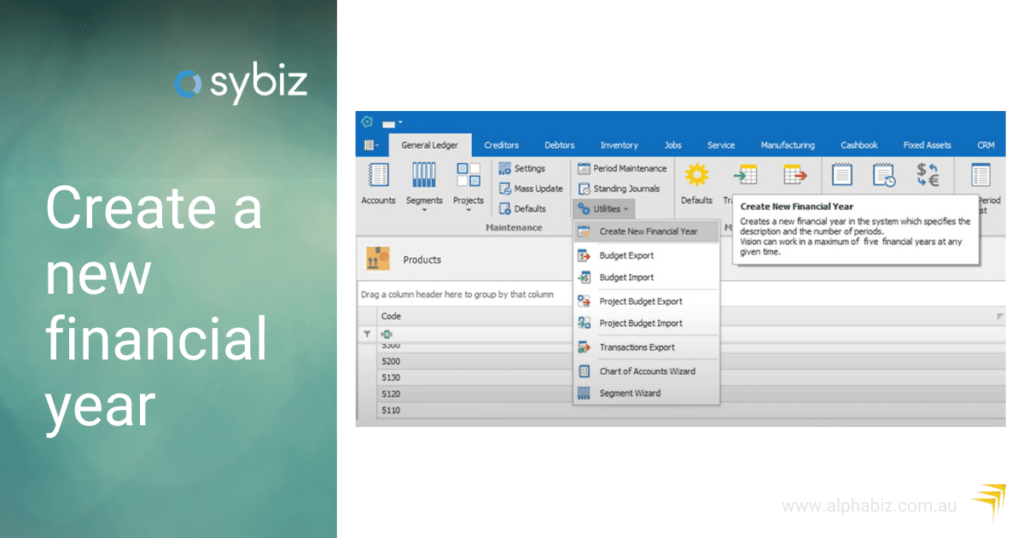
Navigate to the General Ledger ribbon, go to Utilities, and create the new financial year. This process will prompt warnings if there are older open financial years that need attention.
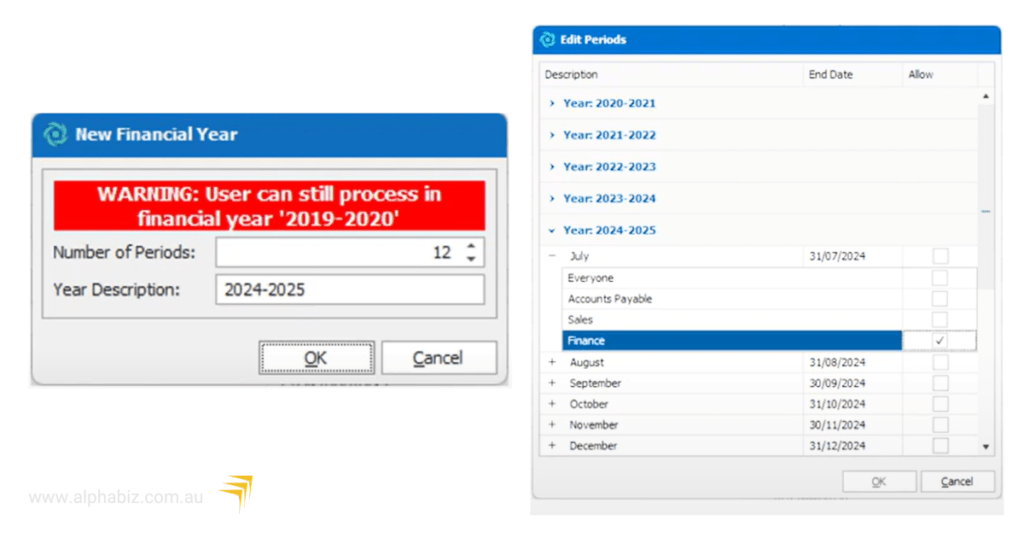
Role-Based Security
Control who can access and transact in the new financial year, ensuring only authorised personnel can perform these tasks.
For a detailed walkthrough, Sybiz has provided a video tutorial.
Best Practices for Reconciliation
To maintain accurate financial records, consider the following best practices:
1. Ledger Reconciliation Report
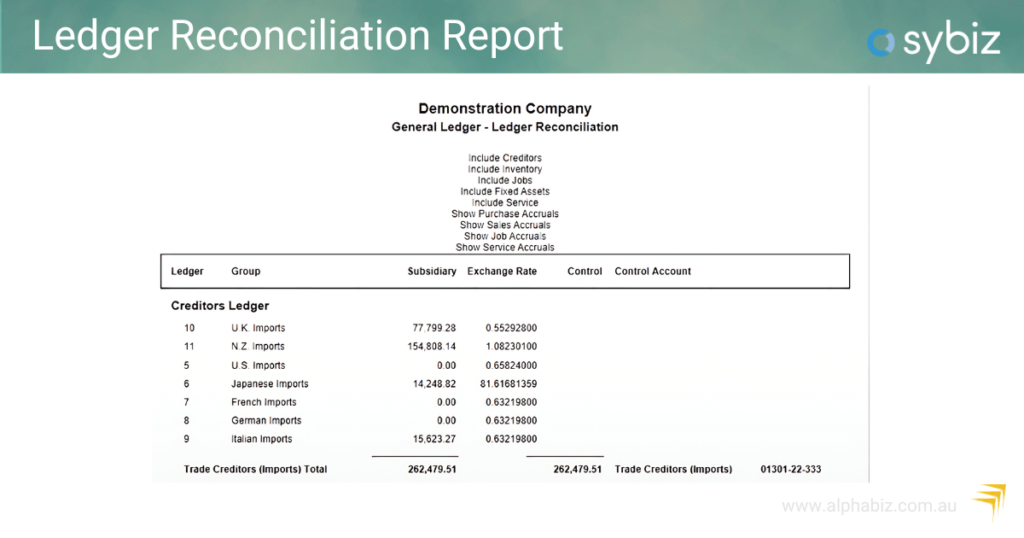
- Use this report to compare subsidiary ledger balances with general ledger balances. Run it regularly to monitor movements and identify discrepancies.
- Monitor for movement over time to isolate causes of imbalances.
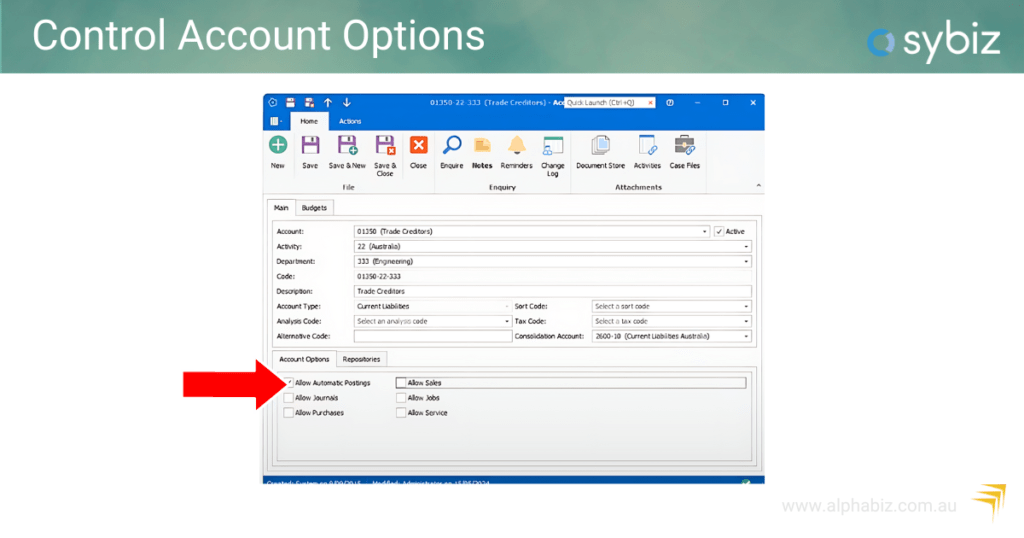
- Check control account history for direct postings.
2. Admin Dashboards
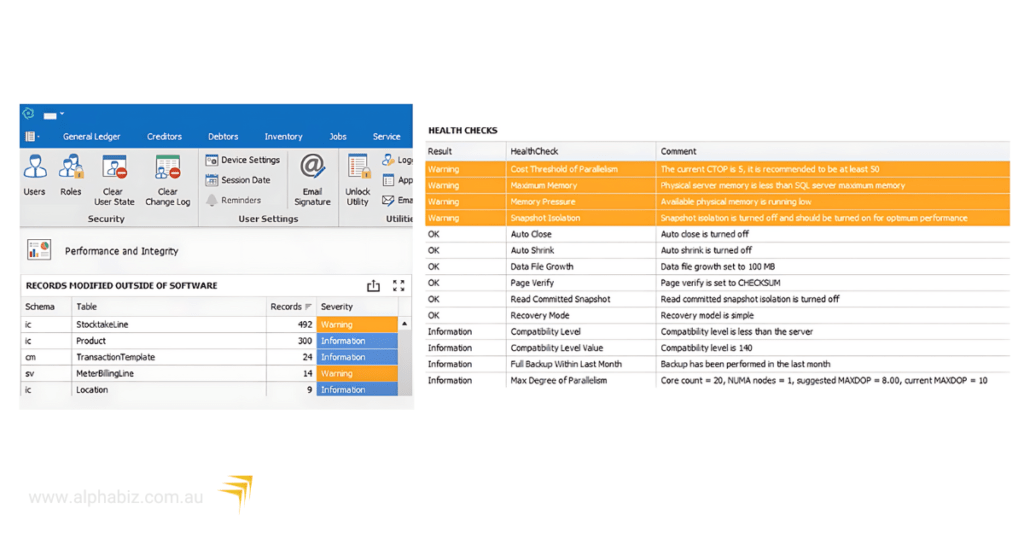
- Regularly check the database management and performance integrity dashboards. These dashboards provide insights into backup performance, health checks, and records modified outside of Sybiz.
3. GST Transaction Management
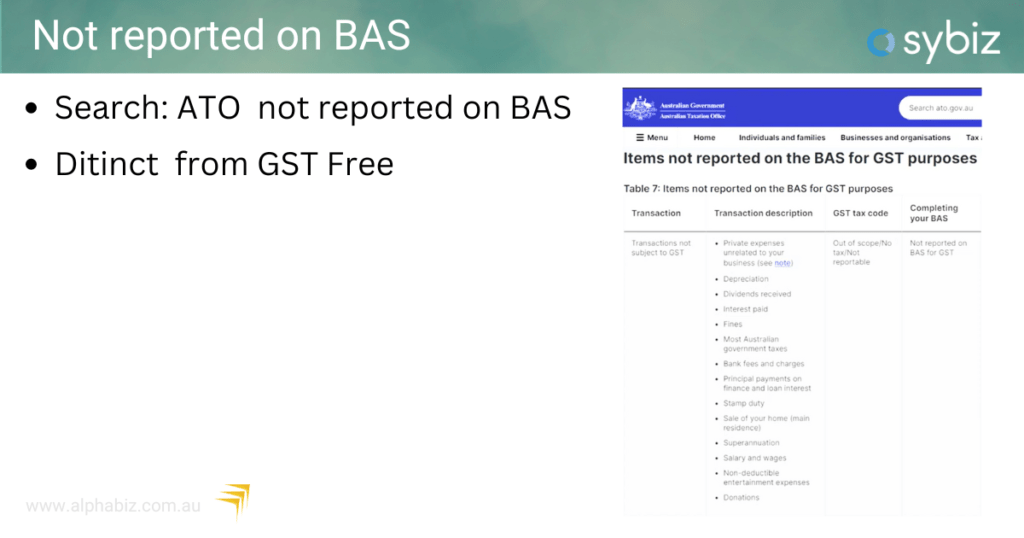
- Use a ‘not on BAS’ tax code for transactions outside the GST system, such as internal bank transfers and loan payments. For more information, refer to the ATO guidelines.
Fixed Assets Management
Managing fixed assets at EOFY involves several key steps:
- Depreciation Runs: Ensure monthly or annual depreciation runs are completed.
- Reconciliation: Reconcile company depreciation books with tax depreciation books.
- Pooling Assets: Manage asset pools according to your accounting practices.
New Features in Sybiz Vision 24.10
The latest version of Sybiz Vision 24.10, includes several enhancements:
Consolidation Companies
- Manage multiple companies, even with different financial years and base currencies, more efficiently.
Stock Transfer Orders
- Improved transaction management with in-transit locations.
ViP Pay Enhancements
- Updated public holidays and streamlined STP2 reporting processes.
Sybiz Visipay EOFY Process
Sybiz Visipay has specific requirements for STP2 reporting, critical for compliance and accurate payroll management:
Update to the Latest Version
Ensure you are on Sybiz Visipay 24.10 to take advantage of new features and updates.
Superannuation Updates
The superannuation guarantee rate increases from 11% to 11.5%. Use the export/import functionality for staff types to update this efficiently.
For more information check our updated blog post – Staying Compliant with the Superannuation Guarantee Increase in 2024
Final Event Indicators
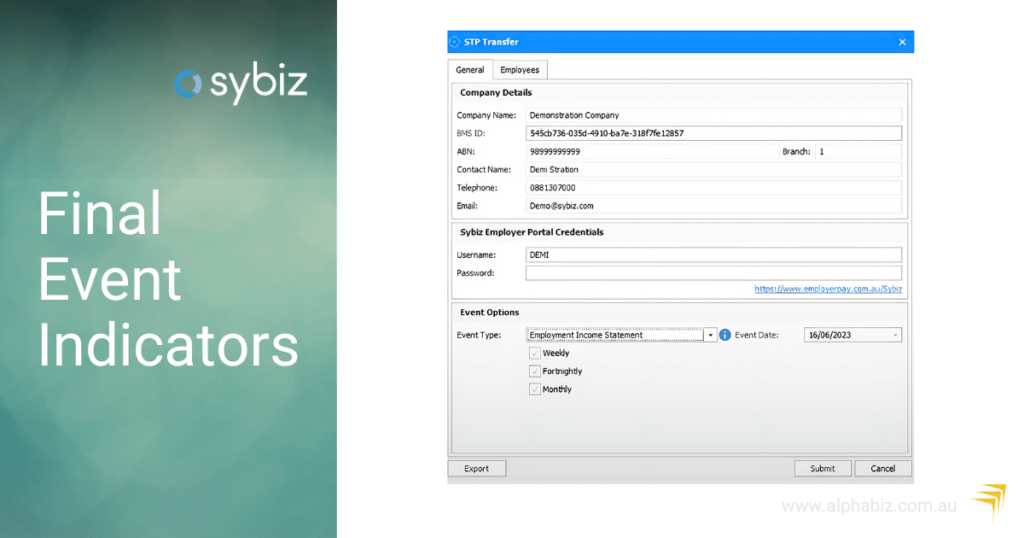
This process is now more streamlined, automatically selecting employees for the employment income statement, ensuring compliance with ATO requirements by 14th July.
Payroll Updates and Legislative Changes
The payroll process involves several updates and changes:
- STP2 Reconciliation: Use the STP2 Reconciliation Report to check figures for the entire financial year.
- Final Event Indicators: Ensure the final event indicators are correctly set before 14th July.
- Tax Rate Updates: Update tax rates for the new financial year. ViP Pay will prompt you to update these rates upon rolling into the new financial year.
Upcoming Changes
- Superannuation on Paid Parental Leave: This change is expected to come into effect next year. The ATO will pay the super directly to the funds, so employers need not worry about this process.
- Payday Super: Expected to be implemented in a couple of years, requiring employers to pay superannuation on payday rather than quarterly. The industry is pushing back on this change to ease the burden on employers.
Conclusion
The Sybiz 2024 EOFY webinar provided essential guidance for navigating the EOFY process. By following the outlined steps and best practices, businesses can ensure a smooth and compliant transition into the new financial year.
Contact us or visit our website for further assistance and detailed guidance on implementing these processes.